
Short answer: you can still organize your side on your own. Keep a dated record of what happens, track shared child costs, and make sure you understand what your agreement says. Use a tool built for one parent, so nothing depends on your ex signing up, and keep communicating through whatever channel already works between you.
Why do most co-parenting apps need both parents?
Many co-parenting apps are built around a shared space: one message thread, one calendar and one payment log that both parents use. TalkingParents' own FAQ, for example, says you need to match accounts with your co-parent to use the app. If one parent won't join, much of that shared space stays empty.
Some apps do offer a solo option. AppClose has a Solo Mode, for example. Our comparison of co-parenting apps covers the differences.
What can I do on my own?
- Understand your agreement. Know what it says about holidays, handovers and shared costs before a disagreement starts.
- Keep a record. Log late handovers, missed calls and canceled visits on the day they happen.
- Track shared costs. Record what you've paid, what's owed and what's been repaid.
- Plan your replies. Draft calm, short responses that stick to what was agreed.
How does DivZen work without my ex?
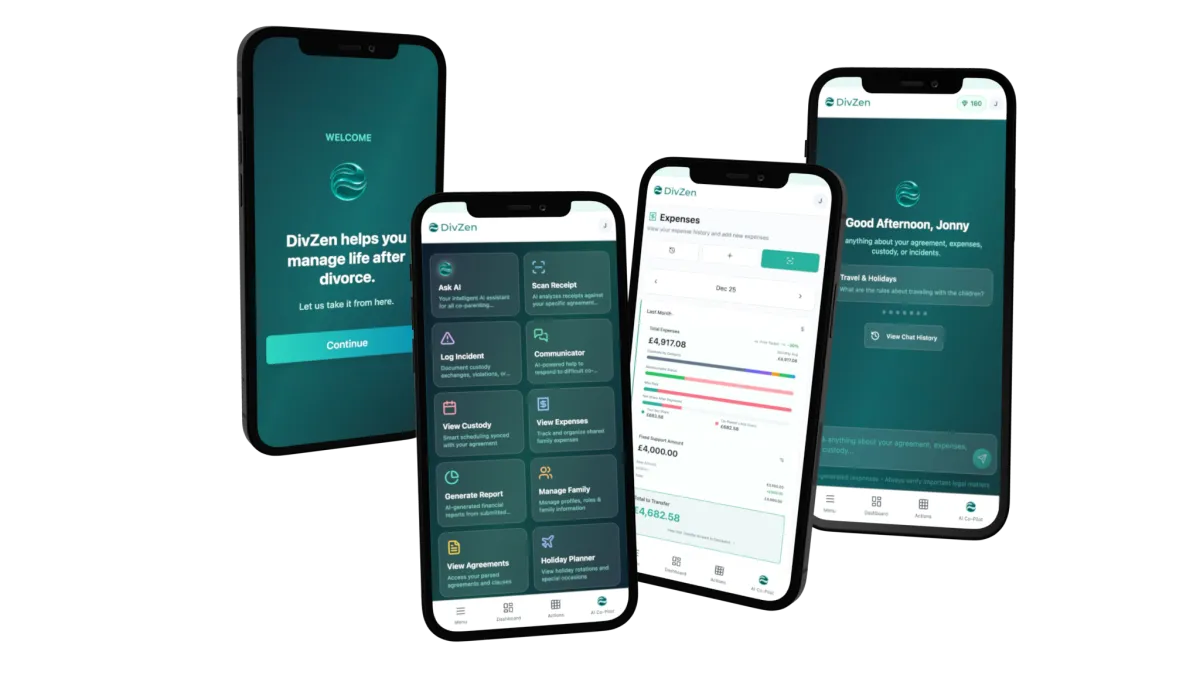
DivZen is built for one parent. Your co-parent never needs an account, isn't invited and has no access to yours unless you share your password.
You upload your own agreement, parenting plan or court order, and DivZen answers questions about it in plain English, pointing to the clause it relied on. The custody calendar, incident log and manual expense tracking are free. When you need to reply to a difficult message, DivZen can draft a reply grounded in your agreement, which you send yourself from your usual app.
What do I give up without a shared app?
There's no shared thread your ex writes in, so your records hold only what you add. Your co-parent can't approve an expense inside DivZen, and DivZen doesn't move money between you. If you both later agree to use one app, a shared app may suit you better, and you can keep DivZen for your own notes.
The takeaway
You don't need your ex's cooperation to stay organized. Keep your own records, know your agreement, and use tools that work for one parent.